More Realistic AI Avatars and Smarter Video Creation in Google Vids
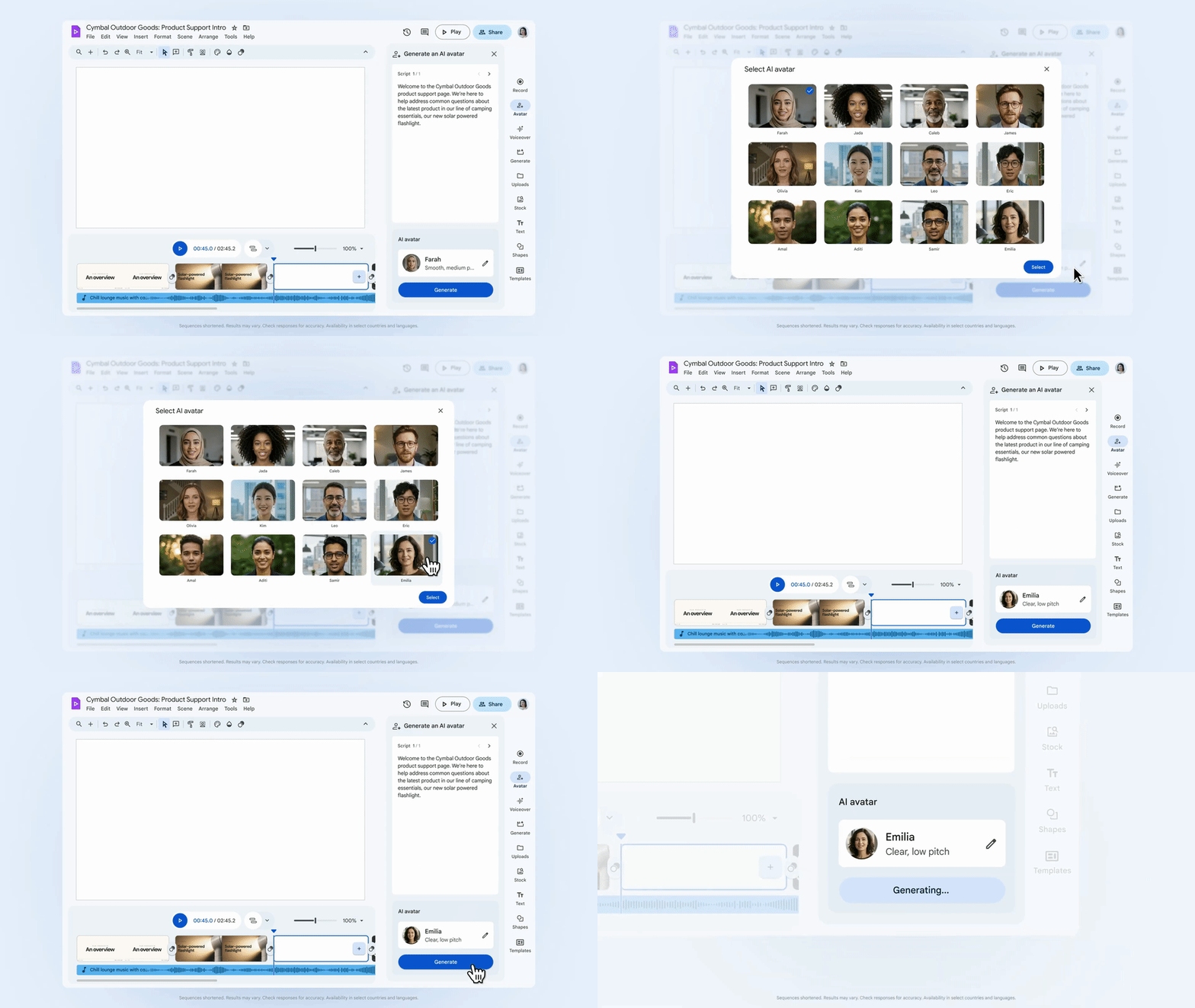
We’re introducing our most lifelike AI avatars yet in Google Vids, now powered by the advanced Veo 3.1 video generation model. This upgrade enables faster creation of high-quality avatars with more natural expressions, smoother lip-syncing, and stable framing—delivering a polished, professional appearance.
With these enhanced avatars, you can connect with viewers across training content, internal updates, customer support guides, and more—without needing a camera or re-recording footage.
The Ingredients to Video feature in Vids is also evolving to make on-brand video production even easier. Using Veo 3.1, it can now generate portrait-format clips while preserving realistic audio and consistent visuals across objects, characters, and backgrounds. Whether you’re animating workplace photos or showcasing product imagery, creating social-ready videos is now simpler than ever.
To help organizations maintain brand consistency, admins can now control which default templates appear in Vids—similar to Google Slides, Forms, and Sites—through the admin console. These templates provide users with professional, pre-approved starting points while ensuring alignment with company branding. We’ve also added automatically styled captions based on video content, making high-quality production faster and more efficient.
Deeper, More Relevant AI Insights with Gemini
The Gemini app now delivers richer insights through expanded Deep Research integrations across Gmail, Chat, Drive, Calendar, and the web. This means responses are grounded in your real work context—not just public information.
You can also select Google Chat as a research source. For example, if you need to review decisions made for “Project Blueprint” last week, Gemini can securely analyze your chat history and related documents to provide accurate, private, and work-relevant answers.
New Google Chat Apps to Streamline Team Workflows
We’re adding new integrations in Google Chat to bring essential business tools directly into your conversations—helping teams stay updated, collaborate visually, and automate routine tasks without leaving Chat.
Asana: Manage projects and tasks with real-time previews and inline notifications.
Figma & Miro: Enable rich visual collaboration within team spaces.
Feeds: Stay informed with relevant news and updates.
Workday: Quickly check leave balances and submit time-off requests.